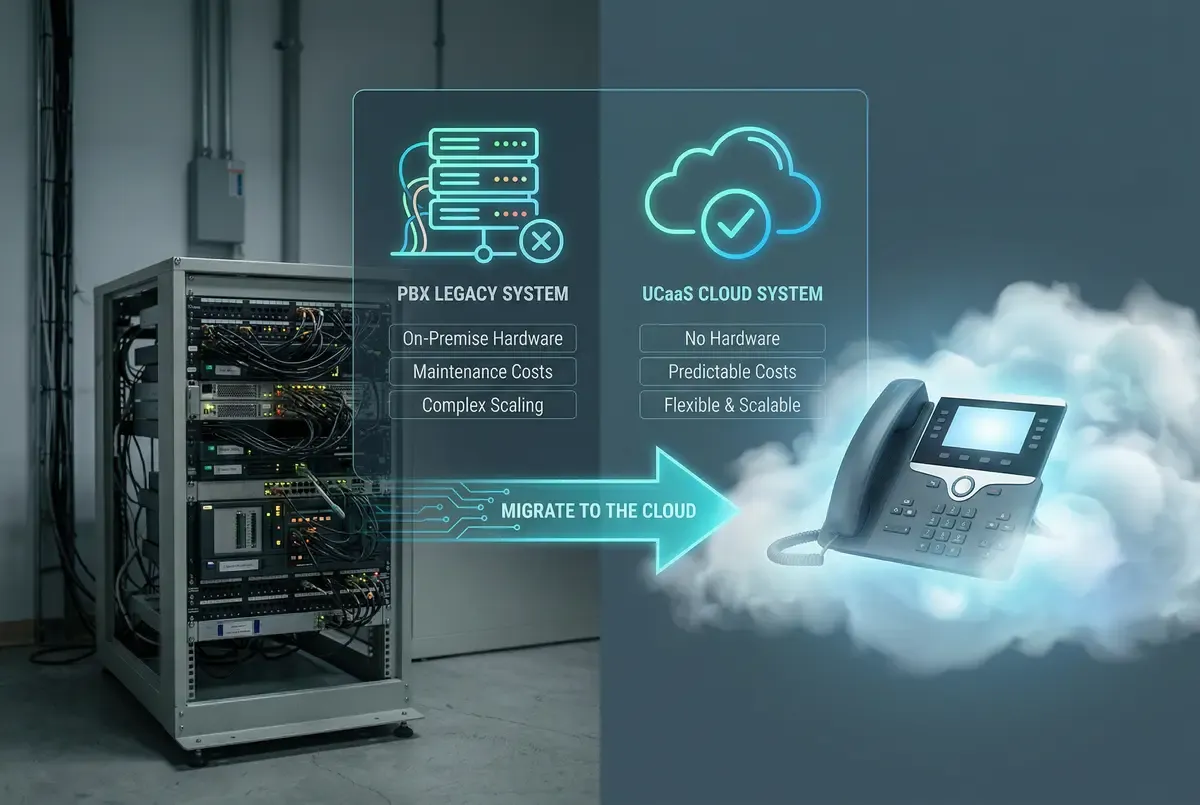
UCaaS vs Traditional PBX: Why Southern California SMBs Are Switching to Cloud Phone Systems
A practical UCaaS vs PBX comparison for Southern California SMBs, covering total cost, dependencies, continuity, maintenance, and cutover planning.

UCaaS vs Traditional PBX: Why Southern California SMBs Are Switching to Cloud Phone Systems
Southern California businesses comparing an on-premises PBX with a cloud phone system should look beyond age, brand, or monthly seat price. The right choice depends on existing equipment, internet and power resilience, call workflows, security requirements, internal skills, support expectations, and the full cost of migration and operation.
This guide offers a plain-language comparison between UCaaS (Unified Communications as a Service) and traditional PBX so you can identify the better fit for your locations and users.
What Is a Traditional PBX?
PBX stands for Private Branch Exchange. An on-premises PBX is hardware or software installed at a business location to manage extensions, call routing, voicemail, and connections to carrier services. Some systems use traditional lines, while IP-PBX systems carry voice over an IP network and may use SIP trunks.
A PBX can provide direct local control and may fit a business with suitable staff, facilities, connectivity, and operational requirements. Its costs and constraints vary by system, age, capacity, support status, and design. Items to evaluate include:
- Hardware and licensing for the required users, trunks, voicemail, and features
- Installation and integration with carrier services, cabling, networks, and business applications
- Maintenance and support from internal staff, a vendor, or both
- Expansion work when users, locations, or features change
- Lifecycle planning for software, replacement parts, security updates, and vendor support
- Continuity design for equipment, power, carriers, and site access
An existing PBX with useful service life can sometimes remain a practical option. Evaluate its actual condition, supportability, operating cost, and ability to meet current requirements before deciding to retain or replace it.
What Is UCaaS?
UCaaS delivers call control and, depending on provider and plan, capabilities such as video meetings, messaging, business texting, presence, contact center functions, and integrations as a hosted service. Users connect through supported IP phones, desktop applications, mobile applications, or browser-based tools.
Cloud delivery moves much of the central platform operation to the provider, but it does not remove local dependencies. Each location still needs appropriate internet service, power, LAN and firewall configuration, endpoints, and user support. Features, limits, security controls, integrations, availability commitments, and support models differ among providers and plans.
Side-by-Side: UCaaS vs PBX
Upfront Cost
PBX: Upfront costs may include servers or appliances, licenses, carrier interfaces, phones, installation, network work, power protection, and redundancy. Reusing supported equipment can change the comparison.
UCaaS: Hosted service may reduce the need to purchase or replace central PBX equipment. The project can still require desk phones, headsets, adapters, switches, cabling, firewall changes, internet upgrades, installation, configuration, and training.
Monthly Cost
PBX: Recurring costs may include carrier lines or trunks, maintenance, software support, warranties, power, facilities, internet, and staff or contractor time.
UCaaS: Recurring costs may include per-user or per-feature subscriptions, calling plans, usage charges, support tiers, device rentals, taxes, regulatory fees, storage, integrations, and other optional services.
Compare total costs over a useful planning period. Use current contracts and invoices, user counts, hardware needs, calling destinations and usage, implementation scope, taxes and fees, selected features, growth assumptions, and lifecycle costs. A hosted subscription can be more predictable, but it is not necessarily less expensive for every organization.
Scalability
PBX: Capacity changes may require licenses, cards, appliances, carrier changes, or technician work. The effort depends on available capacity and system architecture.
UCaaS: Administrators can often provision users or locations through a portal, subject to licensing, compatible devices, network readiness, emergency-calling setup, security policies, and provider processes. Confirm lead times and limits for the changes your business expects.
Remote Work
PBX: Remote access may be available through supported remote phones, session border controllers, VPNs, mobile clients, forwarding, or other vendor-specific designs. Security and support requirements vary.
UCaaS: Desktop and mobile applications can support remote work when included in the plan and correctly configured. User experience still depends on the device, permissions, local network or mobile data, internet path, provider service, and emergency-calling design.
Features
PBX: Available features depend on the installed platform, licenses, integrations, and supported software version. An established system may already cover the business's core needs.
UCaaS: Providers may offer call analytics, CRM integrations, voicemail transcription, video meetings, business SMS, recording, or contact center functions. Confirm which capabilities are included, which require add-ons, and whether they support the exact workflow, endpoint, region, number type, retention need, and application version involved.
Reliability and Uptime
PBX: Availability depends on PBX hardware or software, local power, carrier connections, network components, configuration, monitoring, and any redundancy the business has implemented.
UCaaS: Provider availability targets and service-level agreements vary. Review the written measurement method, exclusions, remedies, and service scope. A provider commitment does not cover every dependency, such as the business's internet circuits, utility power, LAN, firewall, endpoints, mobile carrier, upstream telephone network, or third-party integrations.
Failover, alternate routing, and call forwarding can improve continuity only when the selected service supports them and they are configured and tested before an incident. Ask what happens for provider, carrier, internet, power, equipment, and site failures, and verify how administrators can make changes during each scenario.
Maintenance
PBX: The business or its support vendor manages platform updates, backups, capacity, repairs, security, carrier interfaces, and lifecycle planning. The exact workload depends on the system and support agreement.
UCaaS: Hosted service can reduce maintenance of central PBX infrastructure because the provider operates that platform. Local responsibilities remain for phones, computers, applications, user accounts, LAN, Wi-Fi, firewall, power, internet connectivity, integrations, and on-site troubleshooting. Review the division of responsibility in writing.
The Hidden Costs of Keeping Your PBX
An aging PBX can carry costs that are easy to miss, but those costs should be measured rather than assumed. Review:
- Maintenance agreements, warranties, and contractor time
- Replacement parts and compatible handsets
- Carrier lines, trunks, and related contracts
- Software, licensing, backup, and security-update status
- Staff time for moves, adds, changes, incident response, and reporting
- Gaps between current capabilities and documented business requirements
- Future replacement work if the system reaches the end of vendor support
Compare those items with the complete hosted proposal, including migration, devices, networking, subscriptions, optional features, support, taxes, regulatory fees, usage, and expected price changes. Keeping an existing PBX or moving to UCaaS can each be reasonable depending on the numbers and requirements.
When PBX Still Makes Sense
On-premises telephony may remain appropriate when:
- Local control or on-premises operation is required by a validated technical, contractual, or operational need
- Internet service is not sufficient for the expected cloud calling load and a suitable connectivity design is not available
- An existing PBX is supported and meets requirements at an acceptable total cost
- Specialized analog, paging, door, elevator, alarm, manufacturing, or clinical systems require a tested integration approach
- The organization has the staff and continuity design to operate the platform responsibly
A hybrid design, such as retaining part of an existing system while changing carrier connectivity or adding hosted capabilities, may also fit. Confirm vendor support, interoperability, security, emergency calling, and failure behavior before choosing it.
The Southern California Factor
Southern California organizations may need to coordinate offices across the Inland Empire, Los Angeles County, Orange County, San Diego County, the High Desert, and other communities. Geography, carrier availability, wildfire-related power events, earthquakes, remote work, and mobile staff can influence the design.
Multiple locations: UCaaS may simplify shared dialing and administration across sites, but each location needs validated connectivity, power, network, endpoint, emergency-calling, and support plans.
Mobile workforce: Desktop and mobile applications may help field and remote teams use business calling features. Confirm device management, identity controls, data coverage, user training, and emergency-calling behavior.
Office incidents: Cloud call control may remain available when an office cannot be used, but local calling still depends on power, internet, endpoints, access, and the continuity design. Alternate locations, mobile applications, and forwarding rules can help only if they are supported, configured, accessible, and tested.
Growth and change: Hosted administration may make some user and location changes easier. Planning is still required for numbers, licenses, devices, networks, emergency locations, permissions, integrations, and training.
Making the Switch: What to Expect
A PBX-to-UCaaS migration should be treated as a coordinated technical and carrier project:
1. Discovery: Inventory numbers, lines, extensions, call flows, devices, integrations, contracts, emergency-calling requirements, and dependencies such as fax, paging, alarms, doors, or elevators.
2. Readiness: Assess internet, LAN, Wi-Fi, firewall, power, endpoints, security, and continuity at each location.
3. Configuration and pilot: Build call flows, permissions, applications, and devices, then test representative users and critical workflows.
4. Port and cutover planning: Validate carrier records, submit accurate port requests, define acceptance criteria, choose an escalation path, and maintain the existing service during the transition where feasible.
5. Validation: Test inbound and outbound calls, caller ID, emergency calling, transfers, queues, voicemail, recording, texting, integrations, forwarding, and outage procedures.
6. Decommissioning: Remove old services or equipment only after acceptance and after confirming which lines and devices must remain.
Number-port timing and completion depend on carriers, accurate account information, number types, order complexity, and scheduling. A planned port and cutover can reduce disruption, but uninterrupted service cannot be promised. Keep stakeholders informed and maintain a separate communication method for the transition.
SonicVoIP can assist with assessment, porting coordination, configuration, training, and testing based on the agreed project scope. Ask for responsibilities, assumptions, prerequisites, exclusions, and acceptance steps in writing.
Ready to Make the Move?
If your PBX is difficult to support, lacks capabilities your team needs, or carries rising costs, compare retaining, upgrading, replacing, or combining systems using the same requirements and planning horizon.
Contact our team for a practical assessment, or request a scoped quote based on your locations, users or extensions, current provider and services, calling usage, timing, requirements, hardware, network work, installation, taxes, regulatory fees, and selected options.